You already think in systems. Now you can diagram them just as fast.
Prompt inside the canvas, drop in a doc, or write it in code — and watch the diagram build itself.
Made for teams like yours — trusted by over 5M people and over 200k companies
From the team behind Mermaid.js
Every diagram you make keeps Mermaid's open-source roots growing.
BUILT BY
Developers
Data Engineers
Analysts
Visual Thinkers
Educators
Consultants
Business Strategists
Documentation Specialists
Product Thinkers
Technical Writers
Operations Leads
Project Managers
Designers
Developers
Data Engineers
Analysts
Visual Thinkers
Educators
Consultants
Business Strategists
Documentation Specialists
Product Thinkers
Technical Writers
Operations Leads
Project Managers
Designers
Fast to make. Easy to trust. Everywhere you already work.
Shape an idea in seconds
Type it, say it, or upload a doc. Mermaid goes from input to diagram before you've finished the thought.
Get the right diagram, not just a diagram
Flowchart, timeline, requirement diagram, sequence — Mermaid AI suggests the shape that fits what you're actually building.
Keep your data yours
Secure access controls, trusted encryption, SOC 2 compliance, and SSO that fits your existing setup.
Diagram where you work
Render in your IDE, embed in docs and wikis, or generate straight from Claude, VS Code, and Cursor through our MCP server.
Edit together, in real time
Co-edit live, share with one link (no login required), and turn a conversation into a decision.
Stay in your flow
Prompt right inside the code panel or canvas and watch the diagram change around you. No context-switching, no syntax hunting — just describe it and keep going.
What do you need to figure out?
Or start with a diagram type:
Create with AI
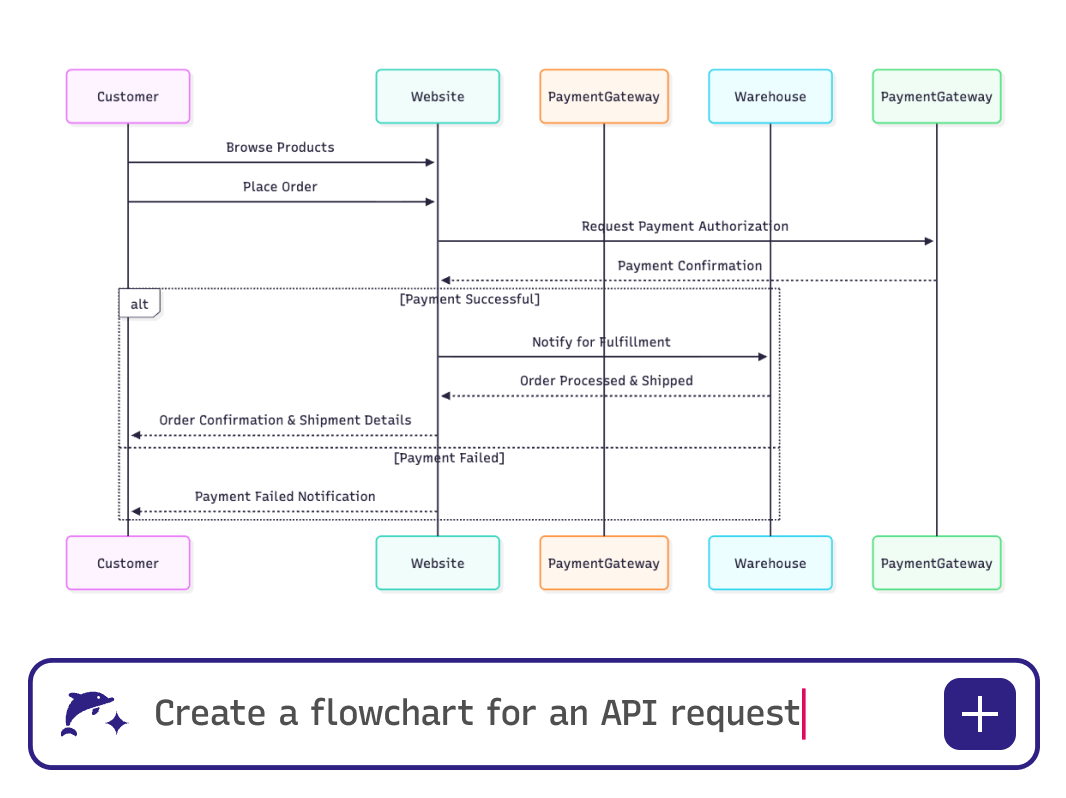
Describe it, upload a doc, or paste a transcript — and get a diagram you can shape from the first draft. Mermaid AI holds context across the whole conversation, so your diagram grows as your thinking does.
Build with code
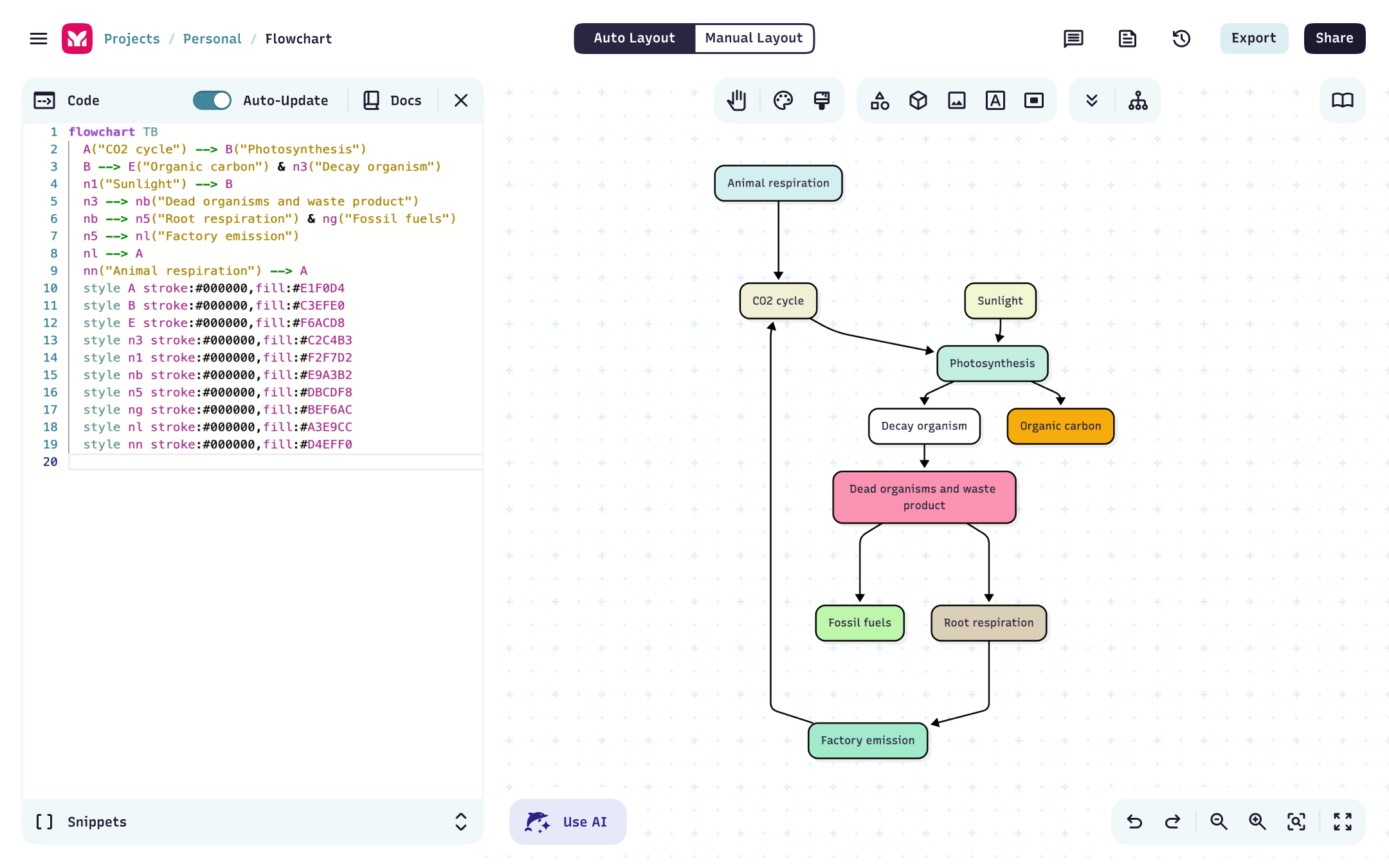
Write in Mermaid syntax and watch the diagram lay itself out. Click any node to jump to its code, or click the code to find its shape on the canvas — you always know where your changes live.
Edit and collaborate, your way
Prompt inside the editor. Adjust with a click. Snap layouts with node alignment, reattach edges without rewriting a line, and share a live link when you're ready.
Stay in the tools you love
Use Mermaid inside GitHub Copilot, Confluence, and more — or connect our MCP server to generate, validate, and render diagrams straight from Claude, VS Code, and Cursor. No manual syntax needed.
Integrate with VS Code
Turn infrastructure and systems into diagrams right from your codebase.
Present without leaving your work
Create, share, and walk people through your diagrams — no export, no second tool.
Create with AI
Describe it, upload a doc, or paste a transcript — and get a diagram you can shape from the first draft. Mermaid AI holds context across the whole conversation, so your diagram grows as your thinking does.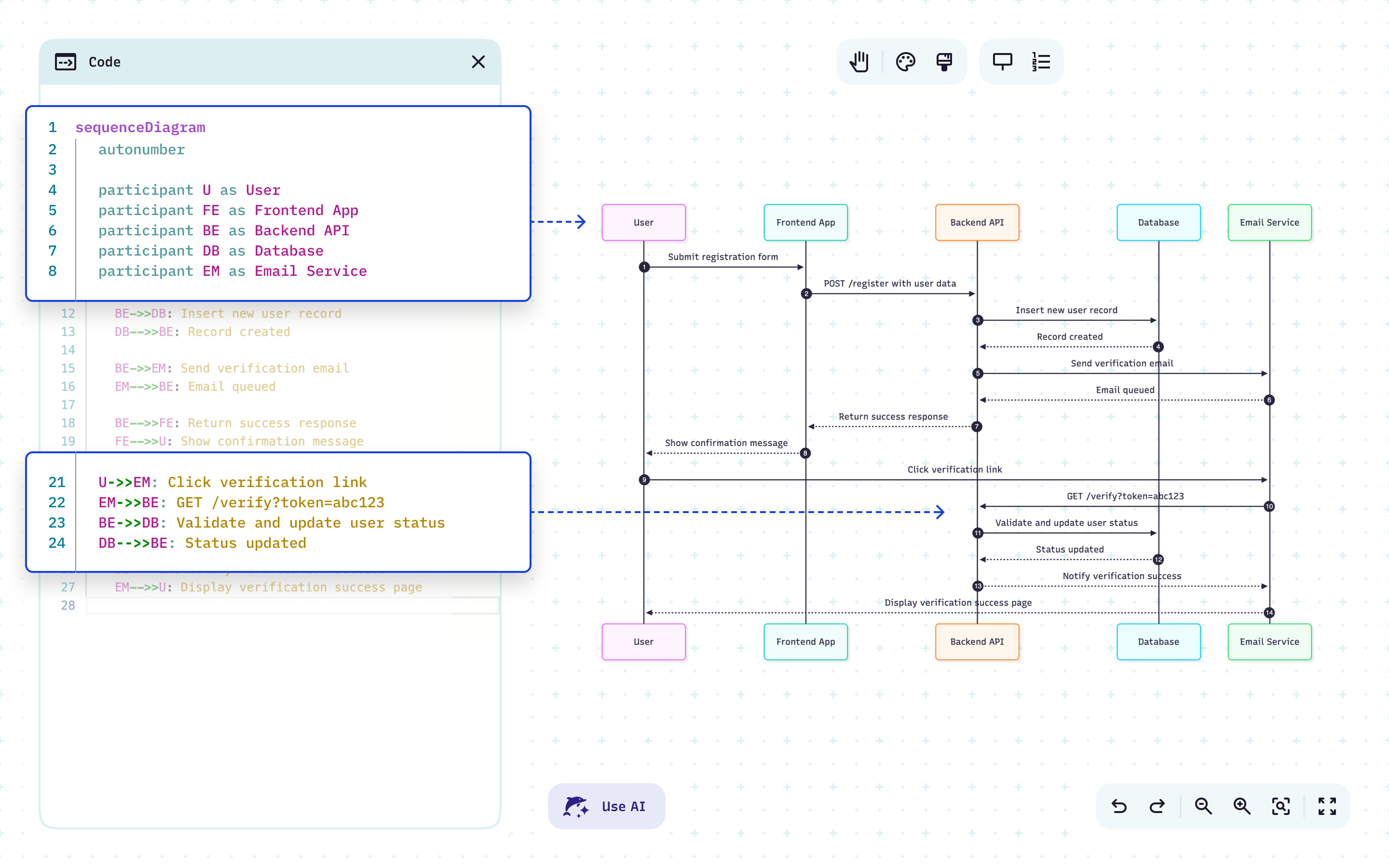
Build with code
Write in Mermaid syntax and watch the diagram lay itself out. Click any node to jump to its code, or click the code to find its shape on the canvas — you always know where your changes live.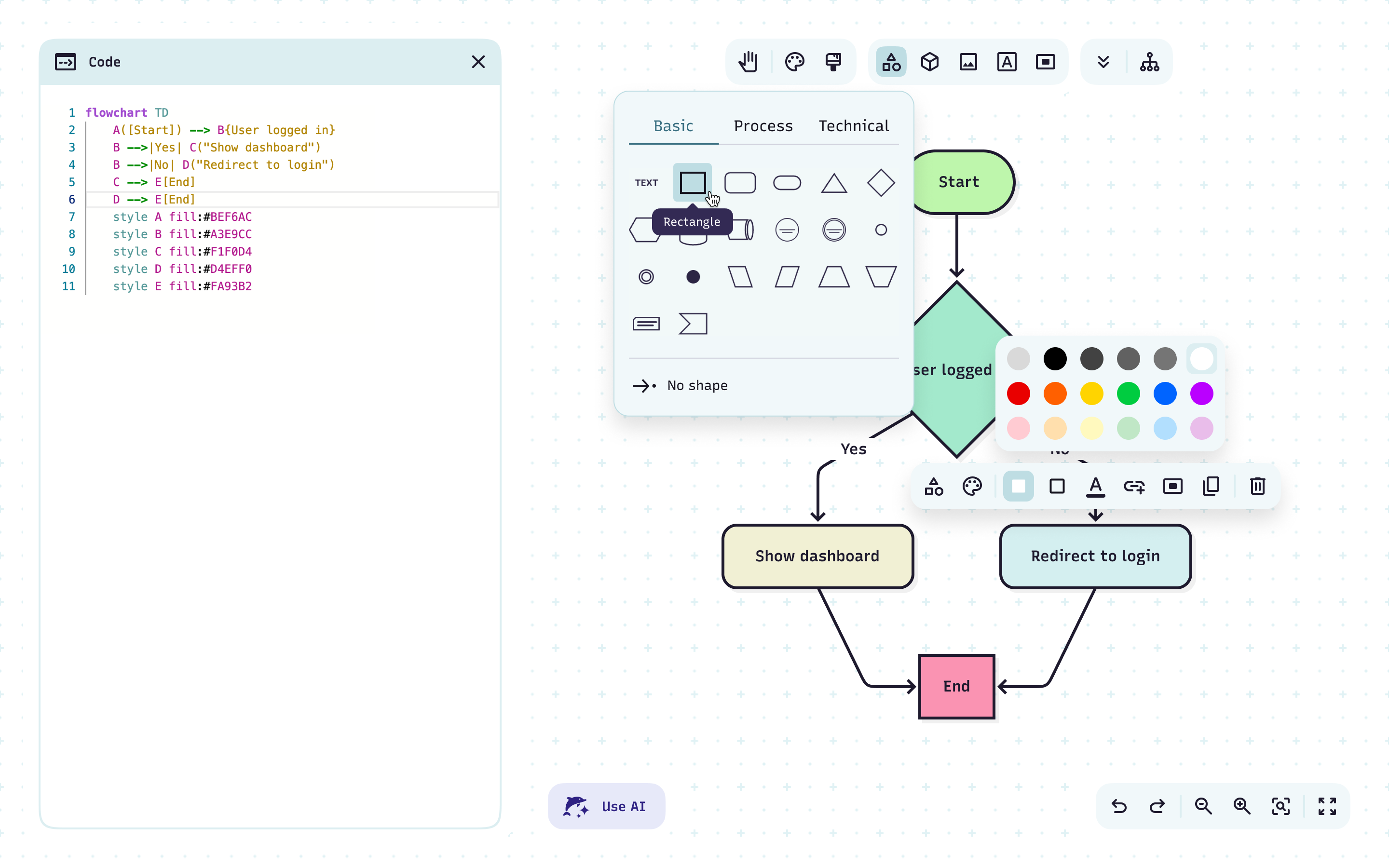
Edit and collaborate, your way
Prompt inside the editor. Adjust with a click. Snap layouts with node alignment, reattach edges without rewriting a line, and share a live link when you're ready.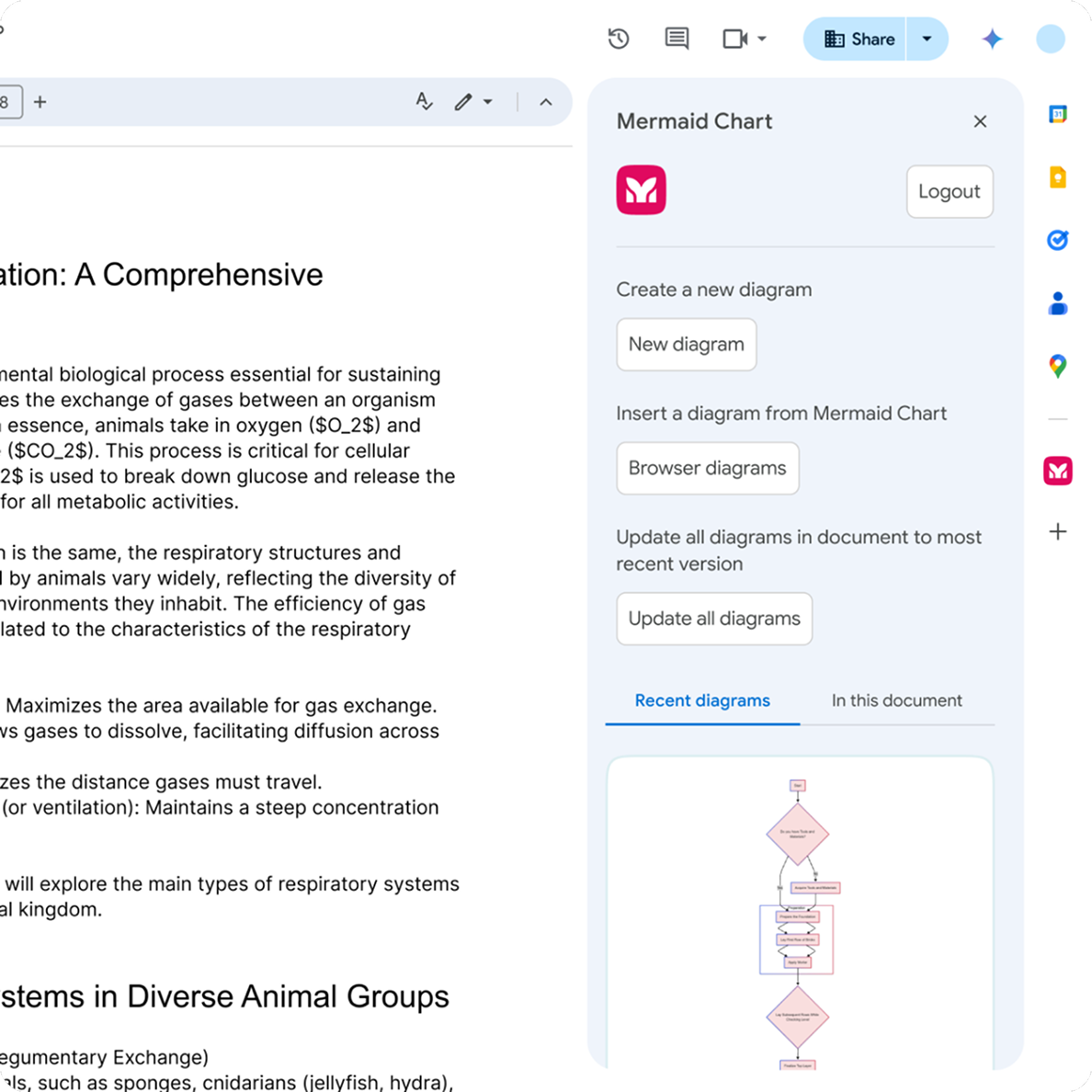
Stay in the tools you love
Use Mermaid inside GitHub Copilot, Confluence, and more — or connect our MCP server to generate, validate, and render diagrams straight from Claude, VS Code, and Cursor. No manual syntax needed.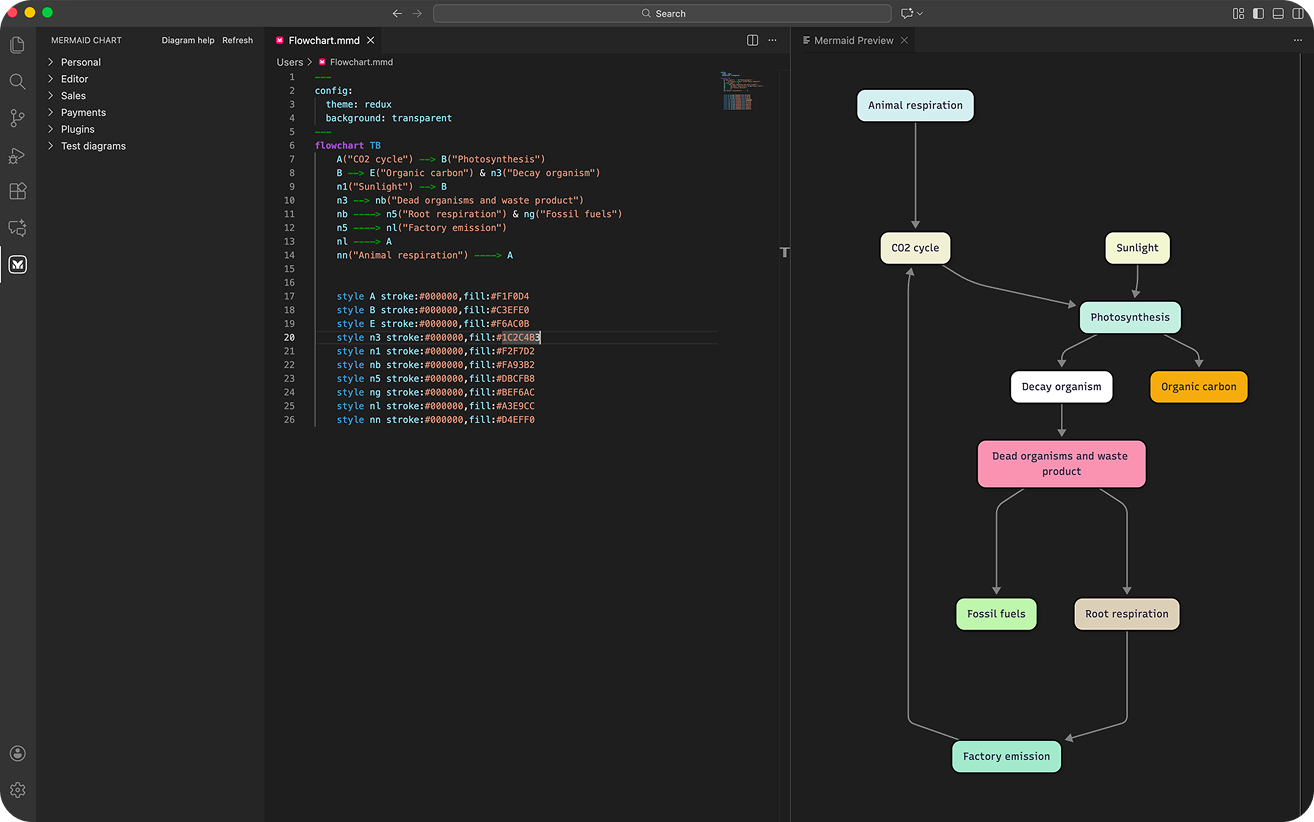
Integrate with VS Code
Turn infrastructure and systems into diagrams right from your codebase.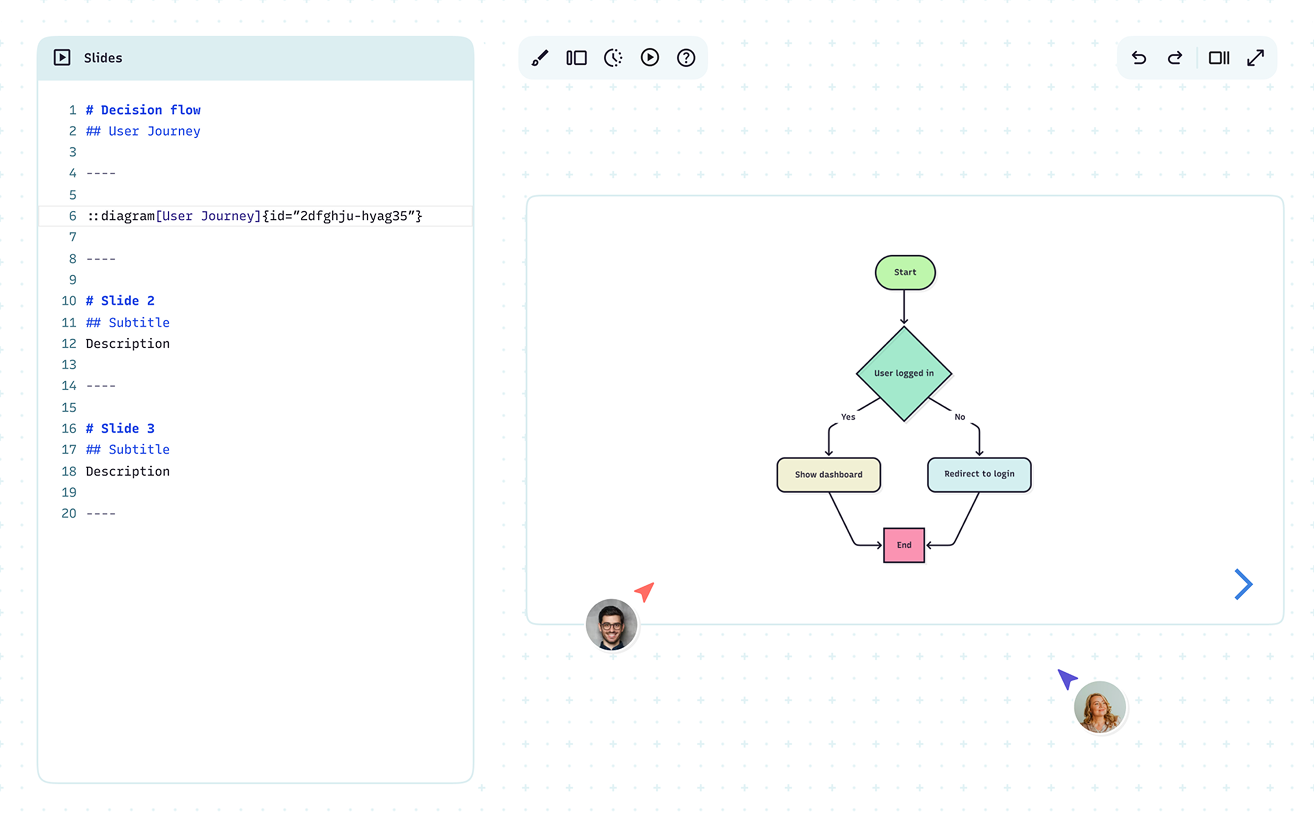
Present without leaving your work
Create, share, and walk people through your diagrams — no export, no second tool.Diagrams that speak your language
For teams, visual thinkers, and collaborators of all backgrounds who need to create, edit, and share diagrams. Mermaid makes it easy to keep everyone on the same page.
Developers
Map features, workflows, and systems as you build.
Tech Leads
Highlight dependencies and risks, so your team can focus on what matters most.
System Architects
Design high-level structures that keep complex platforms reliable and scalable.
DevOps Engineers
Diagram CI/CD pipelines and infrastructure to streamline deployments.
QA Engineers
Visualize test flows, coverage, and edge cases to ensure quality before release.
Project Managers
Streamline workflows and keep projects top-of-mind.
Data Analysts
Convert complex datasets into clear, shareable visuals.
Business Analysts
Document critical processes to identify bottlenecks and keep teams on track.
Consultants
Diagram technical strategies to align stakeholders and drive action.
Startup Founders
Pitch memorable ideas to investors and teammates.
Game Designers
Plan storylines and level flows with clarity.
HR Managers
Build org charts and career paths that grow with your team.
“Making multiple flowcharts look good felt tedious. Mermaid flipped that – now I focus on my notes, and Mermaid takes care of the diagramming.”
“Mermaid solved a major portability problem for us, making charts behave like code. The real game-changer is using AI to analyze our software so we can visualize complex logic instantly.”
“From load balancers to Kubernetes, Mermaid helps me document architecture with my team: Markdown-native, version-controlled, and easy to share.”
“Mermaid is my mind tool — I map client’s systems 5-10 times faster, catch misreads quickly, and iterate in real time.”
“Mermaid transformed three things: clarity, collaboration, and speed. Onboarding becomes simpler and what used to take 30+ minutes in GUI tools takes under five.”
“Mermaid is the bridge between thinking and communication: I structure logic in text with AI, then turn it into clear visual maps, operating models, and strategy flows.”

Afrid Shirsekar
Data Scientist, AmazonLess time syncing, more time building
One shared canvas for mapping ideas, collaborating live, and keeping teams on the same page, literally.
FAQ
Have questions about Mermaid? These should help.